
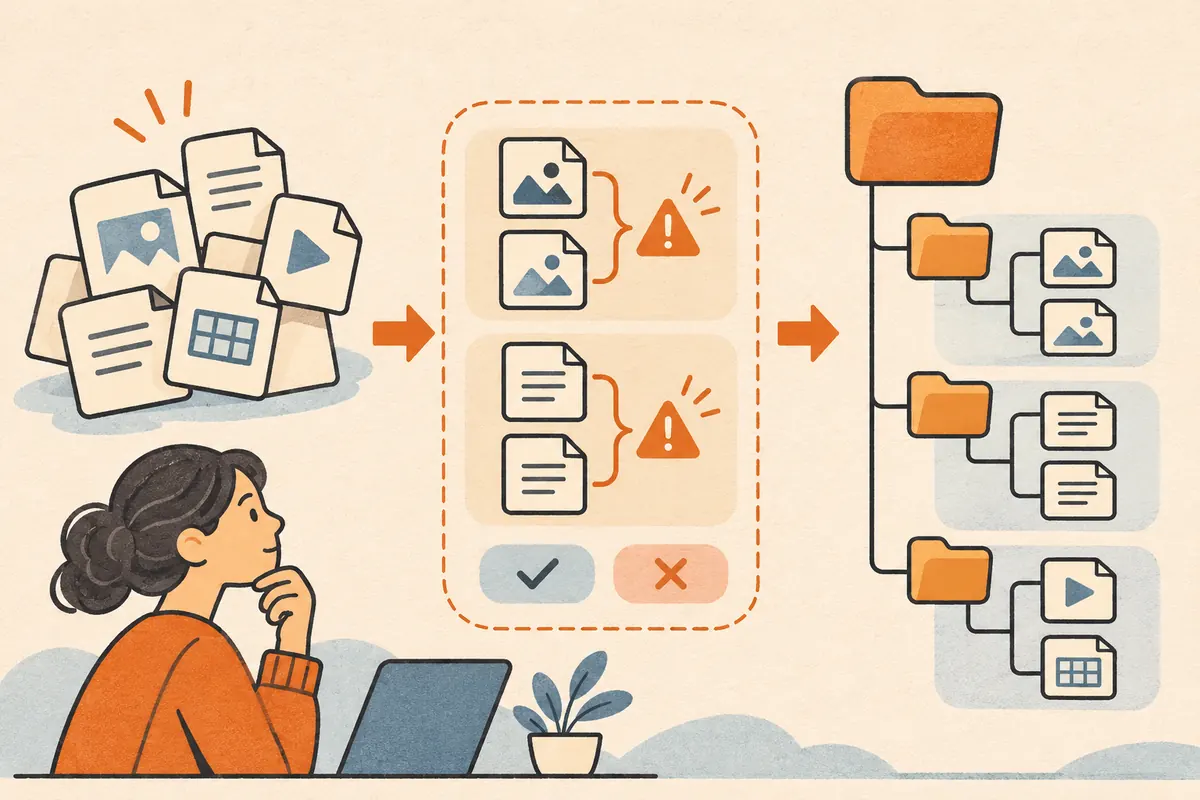
Use a copy of a small folder for your first run. Ask for a move plan before applying changes, and require an explicit destination for every source file.
Try a three-file dry run
Create these sample files in a disposable folder. Put a different sentence inside each of the two files named report.txt.
| Source path | Expected treatment |
|---|---|
| team-a/report.txt | Keep separate from the second report |
| team-b/report.txt | Keep separate and flag any proposed destination collision |
| notes.txt | Leave in place if the destination is unclear |
Connect the sample folder in Claude Desktop. Copy the dry-run prompt from the template library. Ask for a table of source and destination paths plus a list of conflicts, while leaving the folder untouched.
Verify the plan
- Count the source files. The plan should account for all three exactly once.
- Check that no two files resolve to the same destination. If needed, preserve the source folder in the destination name.
- Compare the before and after folder contents for the dry run. All source paths should still exist.
- After reviewing the plan, apply only the approved moves to the disposable copy and confirm both reports still contain their original text.
For another local-file exercise with an answer key, try the receipt audit.